LinkedIn Profile Photo Tips: A Complete Guide

Your LinkedIn profile photo is working before you ever send a connection request, before anyone reads your headline and before they click on your profile. It shows up in search results, in messages and alongside every comment you leave. Of all the elements on your LinkedIn profile, your photo has the most immediate impact on whether someone decides to engage with you.
After 26 years of photographing professionals across the Tri-Valley and East Bay, here's what consistently makes a LinkedIn photo work and what gets in the way.
Why Your LinkedIn Photo Matters
LinkedIn's own data shows that members with a profile photo receive significantly more profile views and messages than those without one. The photo signals that the profile is active, current and belongs to a real professional who takes their presence seriously.
Beyond visibility, research on profile photos consistently shows that people form fast impressions based on images, assessing competence, trustworthiness and approachability within seconds. A photo that communicates confidence and warmth works in your favor before a single word is read.
LinkedIn Photo Specs
Getting the technical requirements right is the starting point:
Recommended size: 400 x 400 pixels minimum, up to 7680 x 4320 pixels
File format: JPG, PNG or GIF
File size: Under 8MB
Aspect ratio: 1:1 (square) - LinkedIn crops your photo to a circle in most views
Face framing: Your face should fill approximately 60% of the frame - head and shoulders, not a full body shot
A professional photographer delivers images already sized and formatted correctly. If you're working with an older photo, crop and resize before uploading a stretched or poorly cropped image reads as careless at a professional level.
What Makes a Strong LinkedIn Photo
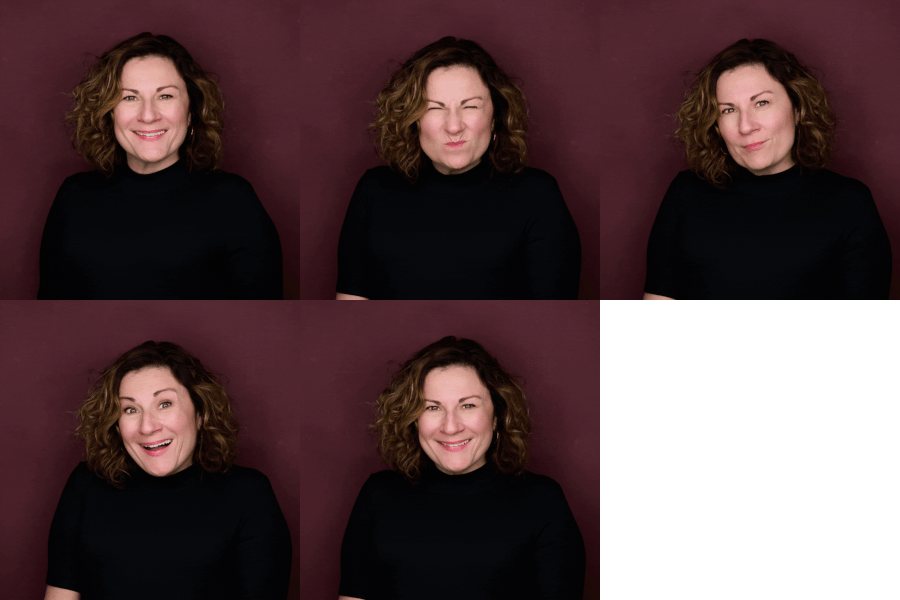
Expression A natural, approachable expression consistently outperforms a stiff or overly serious one. Research on profile photos has found that people with genuine smiles particularly open, relaxed ones are rated as more likable and approachable. The goal is an expression that looks like you in a good conversation, not like you're waiting for the camera to stop.
Wardrobe Dress the way you'd dress to meet a client or attend a professional meeting. Solid colors photograph better than patterns on LinkedIn's small circular crop. Navy, charcoal and jewel tones all work well. Avoid large logos and anything that dates quickly.
Background A clean, neutral background keeps the focus on your face. Most professional headshot studios offer multiple background options a simple light or dark background is the most versatile for LinkedIn.
Lighting Flat lighting, harsh shadows and overhead fluorescent lighting all read poorly on camera. Professional studio lighting is specifically designed to be flattering and consistent which is the primary reason a professional headshot looks different from a photo taken in a conference room or a selfie.
Resolution A blurry or low-resolution photo undermines everything else on your profile. Upload the highest resolution file you have.
What to Avoid
Selfies - the angle and lighting are almost never flattering and the image reads as informal
Group photos or cropped group shots - the crop is usually obvious and it raises the question of who else was in the photo
Sunglasses, hats or accessories that obscure your face
Casual clothing - a t-shirt or very casual outfit sends a different signal than your professional context warrants
Pets, children or other people in the frame - your profile photo should be you, alone
Car photos - the background and lighting of a car interior rarely photograph well
Full-body shots - LinkedIn crops to a circle; a full-body photo makes your face too small to read
Photos more than two to three years old - if you look noticeably different from your current photo, it creates a disconnect when you meet people in person
Low-resolution or blurry images - if the image isn't sharp, it signals a lack of attention to detail
How Often Should You Update Your LinkedIn Photo
Every two to three years is a reasonable guideline or sooner if your appearance has changed significantly. If you've changed your hair, lost or gained weight, or if your current photo is from a different phase of your career, it's worth updating.
Keeping multiple outfit options from a single session gives your profile and your team variety when posting content. A session that produces 2 to 3 different looks means you're not relying on the same image across every platform and use case.
Professional Headshot vs. DIY
The difference between a professional headshot and a phone photo or selfie comes down to three things: lighting, direction and retouching.
Professional studio lighting is specifically designed to be flattering. A photographer who specializes in headshots provides direction on expression, posture and angles throughout the session so you don't have to figure out what to do. And professional retouching delivers a finished image that looks natural and polished without looking overly edited.
For a platform where your photo is one of the first things a recruiter, potential client or business connection sees, a professional image is worth the investment.
Frequently Asked Questions
What size should my LinkedIn photo be? LinkedIn recommends a minimum of 400 x 400 pixels. The photo displays as a circle, so a square crop with your face centered works best. Your face should fill approximately 60% of the frame.
How often should I update my LinkedIn photo? Every two to three years, or sooner if your appearance has changed significantly. An outdated photo creates a disconnect when you meet people in person.
Should I smile in my LinkedIn photo? A natural, relaxed expression including a genuine smile, consistently outperforms a stiff or overly serious look. The goal is approachable and confident, not formal to the point of being unfriendly.
What should I wear for my LinkedIn headshot? Dress the way you'd dress to meet a client or attend a professional meeting. Solid colors photograph better than patterns. Navy, charcoal and jewel tones are all strong choices.
Does background color matter for LinkedIn? A clean, neutral background keeps the focus on your face and works well in LinkedIn's circular crop. Very busy or colorful backgrounds tend to distract.
Where is the studio? The studio is at 4725 1st Street in downtown Pleasanton, centrally located in the Tri-Valley with parking available in three surrounding lots.